
A handy notepad for all your notes
MemPad has been specially designed for those who like to keep everything organized in all sorts of lists and notes.
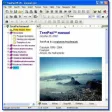
MemPad is a simple tool that enables you to create notes about any topic and then save them in a tree-like structure. This database can be categorized in several levels ("parent" and "child" notes) and organized in any way you want. MemPad features an embedded search tool to locate any note, although I had the impression that it didn't work very well because it didn't find anything outside the note that I currently had opened.
MemPad saves data on shutting the program and can also be set to save notes automatically every 4 minutes. It also includes some security features like the ability to mark notes as read-only or encrypt anything you write on them. On the downside, I missed having a rich formatting toolbar to embellish my text and I didn't like the way configuration settings are displayed.
With MemPad you can easily organize all your personal notes and to-do lists.



























User reviews about MemPad
by Anonymous
Fast, portable and very useful.
MemPad is excellent.
PROS
-Free
-Fast
-Portable
-Can drag and drop files to the text area and they become links.
-Can tranfer easily to update other computers since it creates a very small .lst file.
-No full path which is spectacular since I don't have to worry about drive letters.
CONS
Just wish it had a feature to insert images. More
by Anonymous
I use MemPad every single day.
For the past three years, I have been suing Mempad on a daily basis both at home and at work. While some parts are not initially intuitive to use, its portability, small footprint, and basic features make it my all-around usability tool. For awhile I missed not having Rich Text, but in the end the features I am about to list more than make up for it, and my rich-text tree tools are lingering on the sideline.Temporary notes: If you have a node with the current year (e.g. 2009 or 2010), {F6} will create a branch beneath it for the month and day (today, it created December, and below December it created 20 Sun). Phone messages, quick notes, urls, etc. are placed here. {F5} Time Stamps it. It is kind of like a diary.
Launcher: My organization has an official document structure, and lookup is sluggish and painful. By highlighting the document number, and pressing {F8} I get a bunch of preconfigured tools and I choose the one that opens the document. I have other common tools and apps that I run that way.
URLS and files: URLS can be double-clicked. Files as well. I keep bookmarks in Mempad, and if in my default browser, double-click them, and if in another browser, run through the Launcher.By assigning one Mempad file to work and another to home with shortcut keys, it is ever at the ready. Pros:
Portability. One file. No installation.
Small size and footprint. 7k when in memory. 120kb disk size.
Keyboard shortcuts for many common functions
Continual freeware upgrades
Find is lightning fast within or across nodes
Cons:
Moving nodes of the tree is a pain. As is export.
No skins (to me this is a Pro) More
by Anonymous
Really portable and user friendly.
MemPad has a very small footprint and really portable on thumb drives. Very easy to use and excellent support (should there be any questions.)It has some excellent features such as adding nodes by date and date and time stamps with a keystroke. I've tried many tools before; I've been using this for a couple of years now and I love it. It's free too! Pros:
User freindly, portable, timestamp at a keystroke, and search option.
Cons:
I'd like to use custom fonts and highlights. More